Overview of the Basics

Learn Basics
Quick overview of the solution structure and workflow
Here is a quick summary of the key features and the system that you can read in 5 minutes to fully understand how it works.
1 / 11
Accounts as main access points to database unit
There are two account types in this solution, each essential for access points that ensure safe communication with the database unit.
 The Main account will be the administrator of the whole unit and will manage it.
 The Member account is a trusted member of the database unit, with clearly defined roles.

2 / 11
Home page as the control panel of the database unit
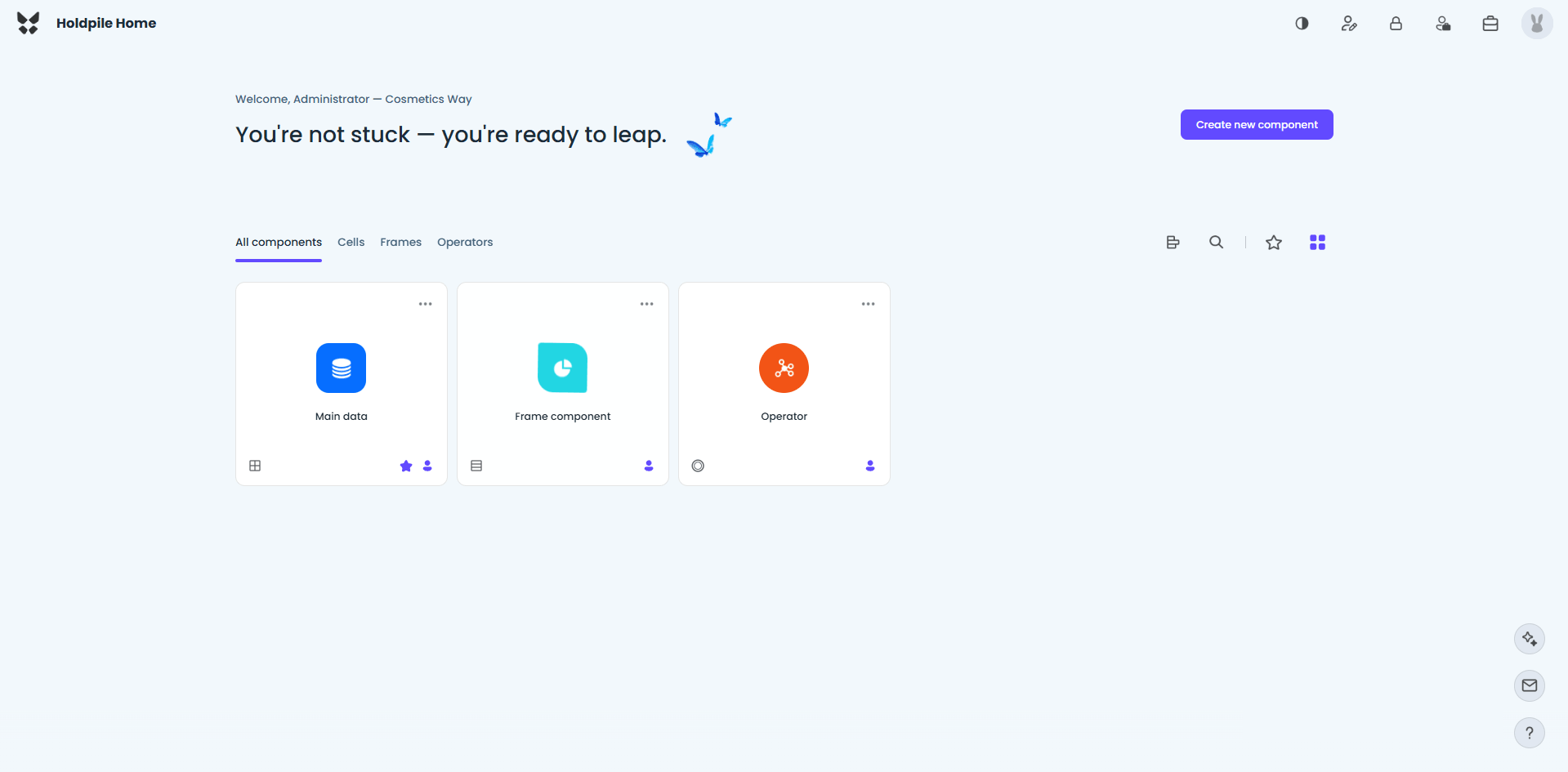
This will serve as the main control panel for the account, allowing users to interact with the solution and perform important tasks. Above is the view of the home page, designed with simplicity in mind.
3 / 11
Components as the main part of the database unit
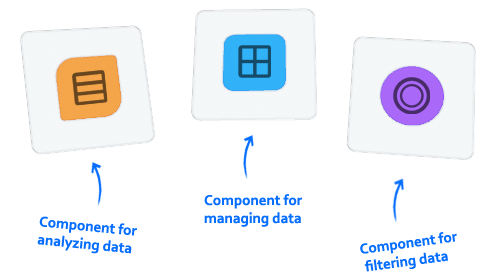
Components are top-level sub-units of the system, containing all data and content. There are three types, each serving a different purpose.
 The Cell component will have the main role of managing and storing your data.
 The Frame component will read and analyze data from the attached cell.
 The Operator component will perform different functions on data from the attached cell.
4 / 11
Primary loader for component data & its items
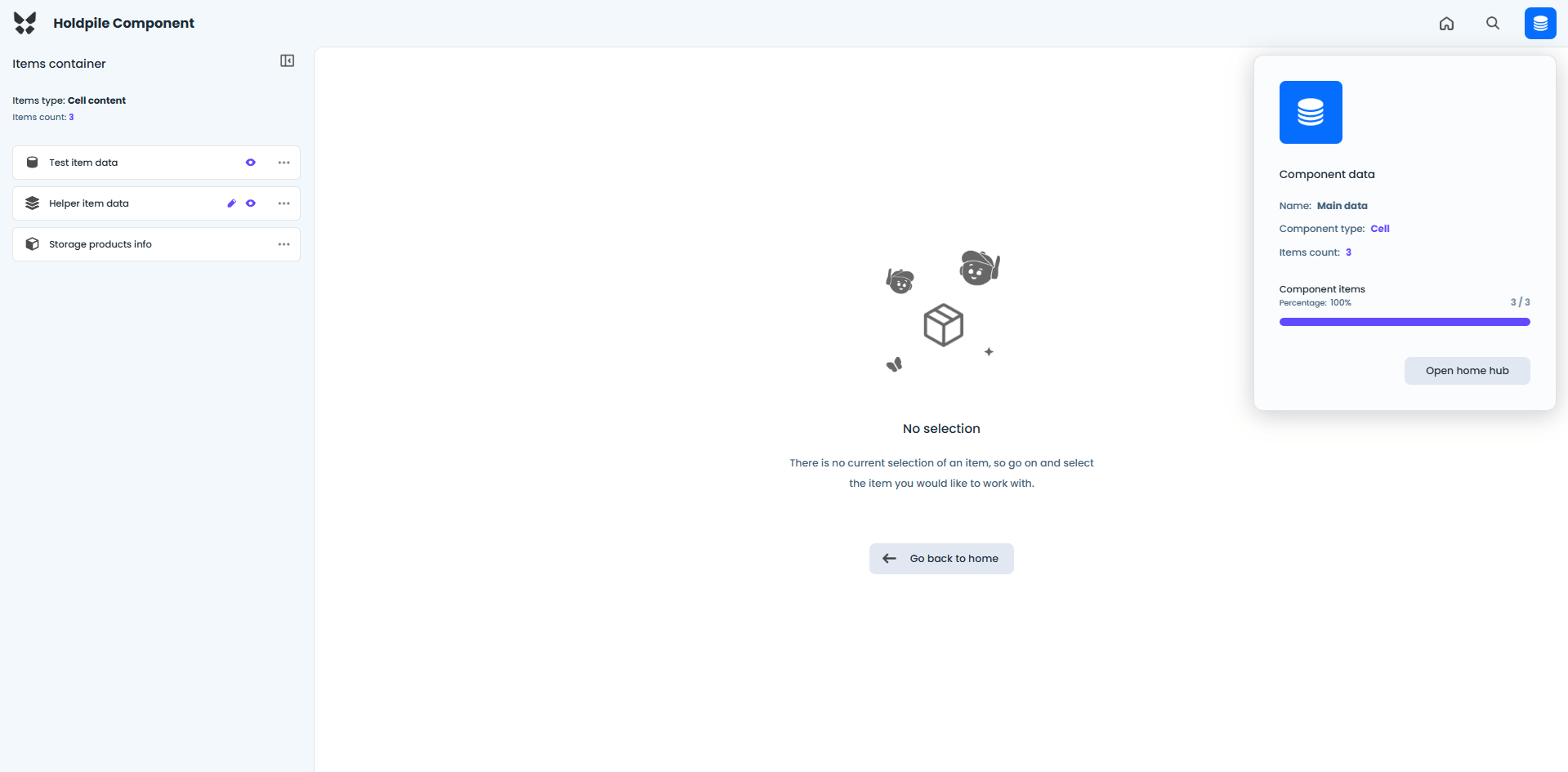
The main role of this page is to load all component data and the most important items, which are a key part of the entire system. The view of the component loader is shown above.
5 / 11
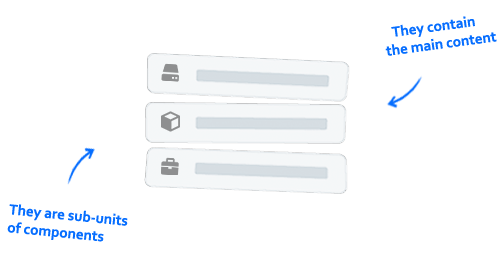
Items as an important part of the whole system
An item will contain specific content and data. It is the main part of the component and also its sub-unit. It is strictly located inside the component and there can be multiple items inside a component.
6 / 11
Cell content as main part for managing and storing data
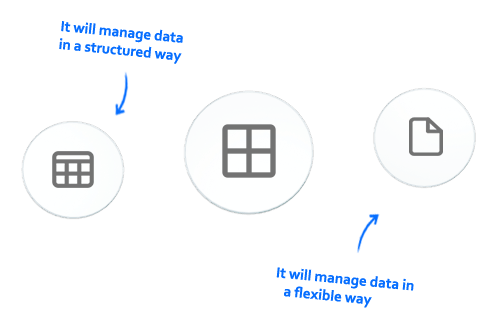
Cell content is a defined system for storing, editing and deleting data. Its main purpose is manipulating data. It's a smart system for handling data in two formats that represent the two main database types.
 The Table format will store data in columns and rows, clearly representing SQL database type.
 The Document format will store data in key-value pairs, representing a NoSQL database type.
7 / 11
Cell content organized into two workspaces
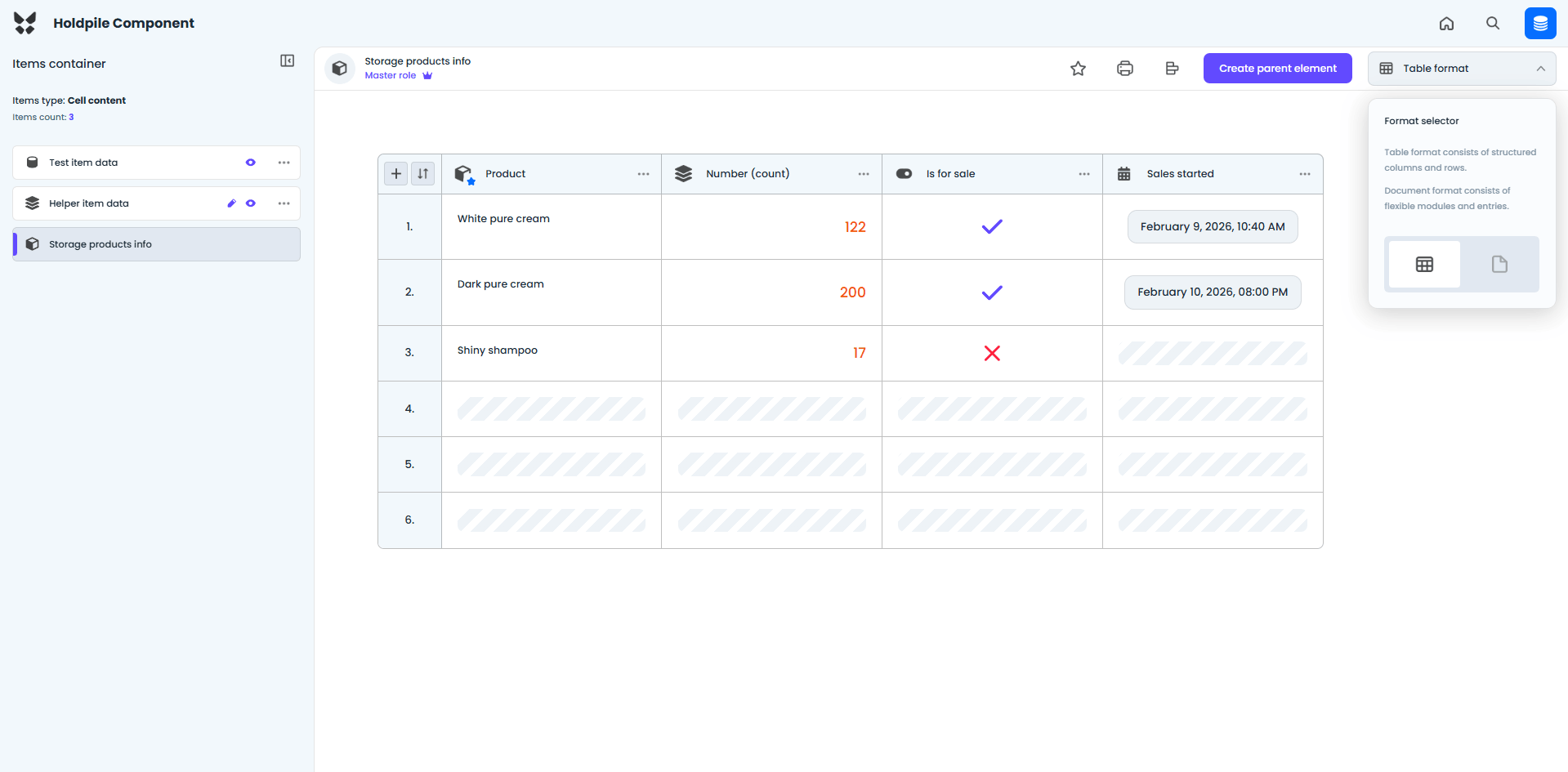
The first cell workspace is designed for performing a variety of tasks on table data, allowing users to manage, edit, and analyze information efficiently. An example of this workspace view is shown above.
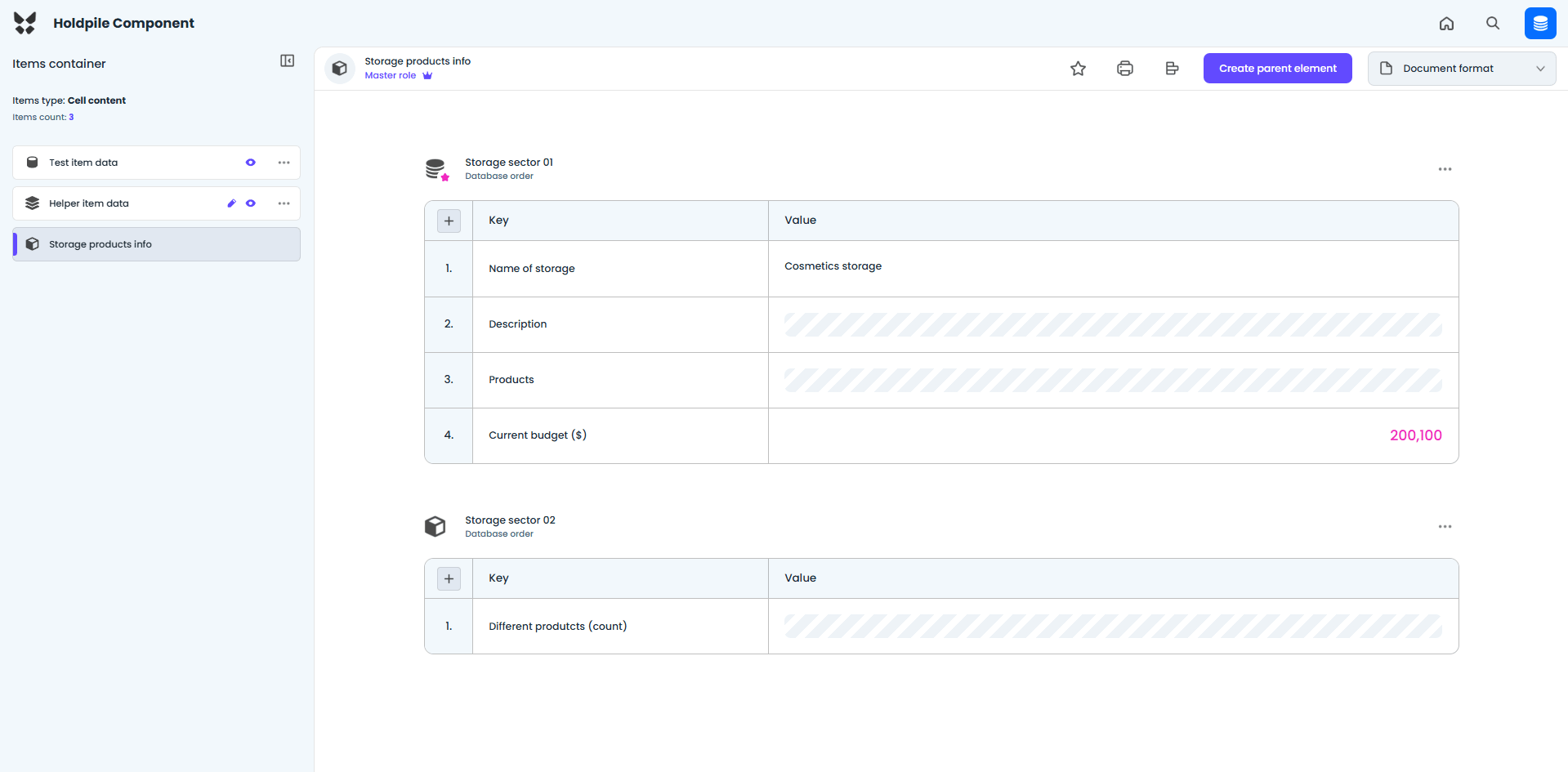
The second cell workspace is dedicated to performing the same types of tasks as the first one, but this time on document data. A simple view of this workspace is shown above.
8 / 11
Frame content as main part for visualizing data
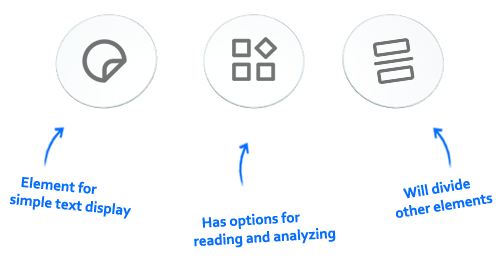
Frame content is designed for a visual approach to data, allowing you to add elements that form the frame. There are three types of elements in the frame content.
 The Field element will contain text to give the description or meaning to the frame.
 The Widget element is the main element of the frame that will receive data for reading or analyzing.
 The Line element is a decorative element that will help you divide for better visual appearance.
9 / 11
Frame content as main part for visualizing data
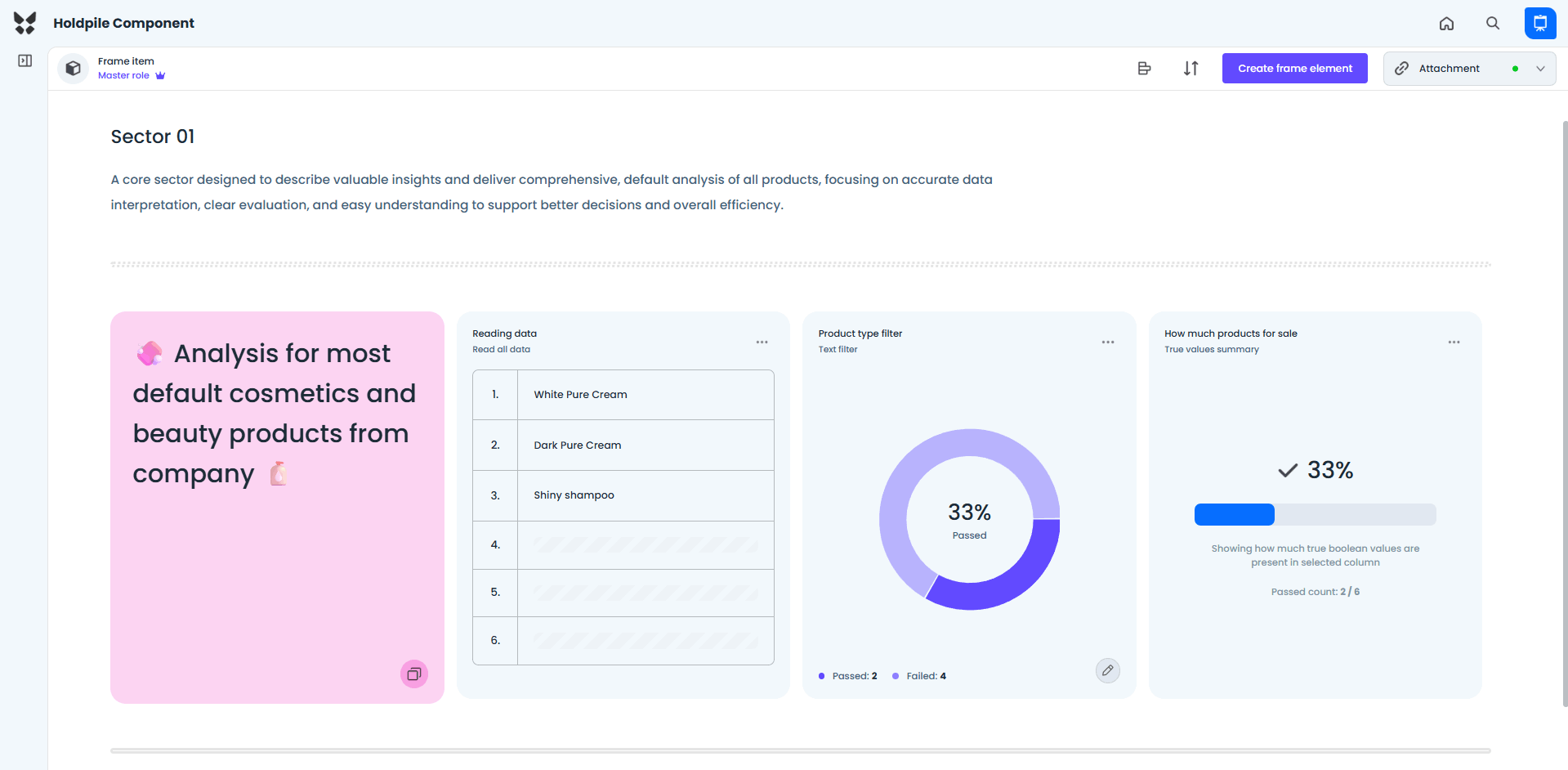
The frame workspace will be the main working area for frame content, allowing you to create, delete, and organize elements to fit your needs, with ease and simplicity.
10 / 11
Operator content as main part for processing data
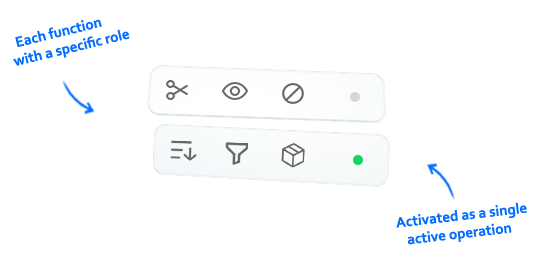
Operator content is a system for performing operations on table and document data from cells to obtain useful results. Two operator types exist to handle both data formats.
11 / 11
Operator content organized into two workspaces
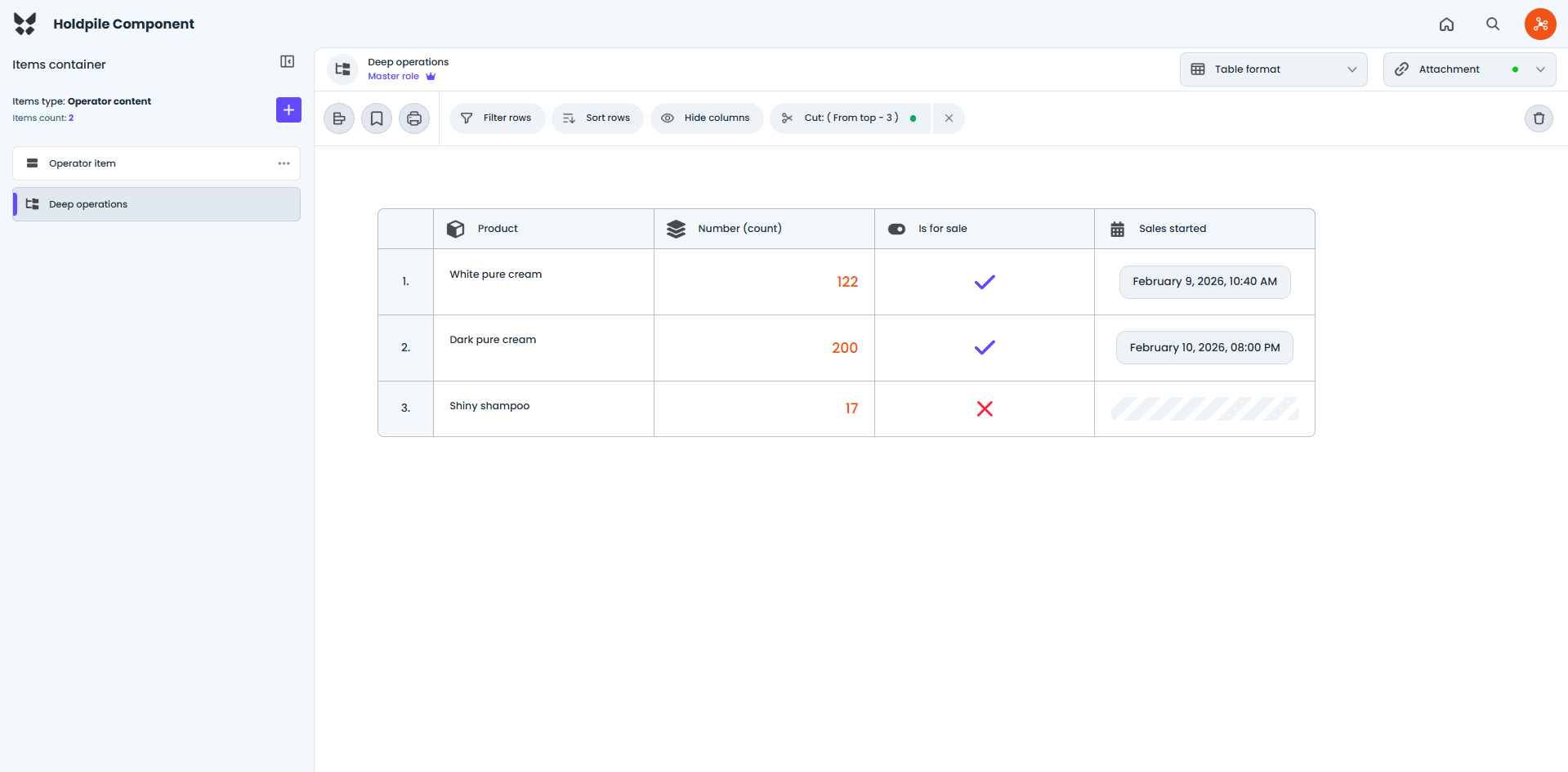
The first operator workspace is designed for table data, providing specific functions that apply only to this format. Example of the workspace view is shown above.
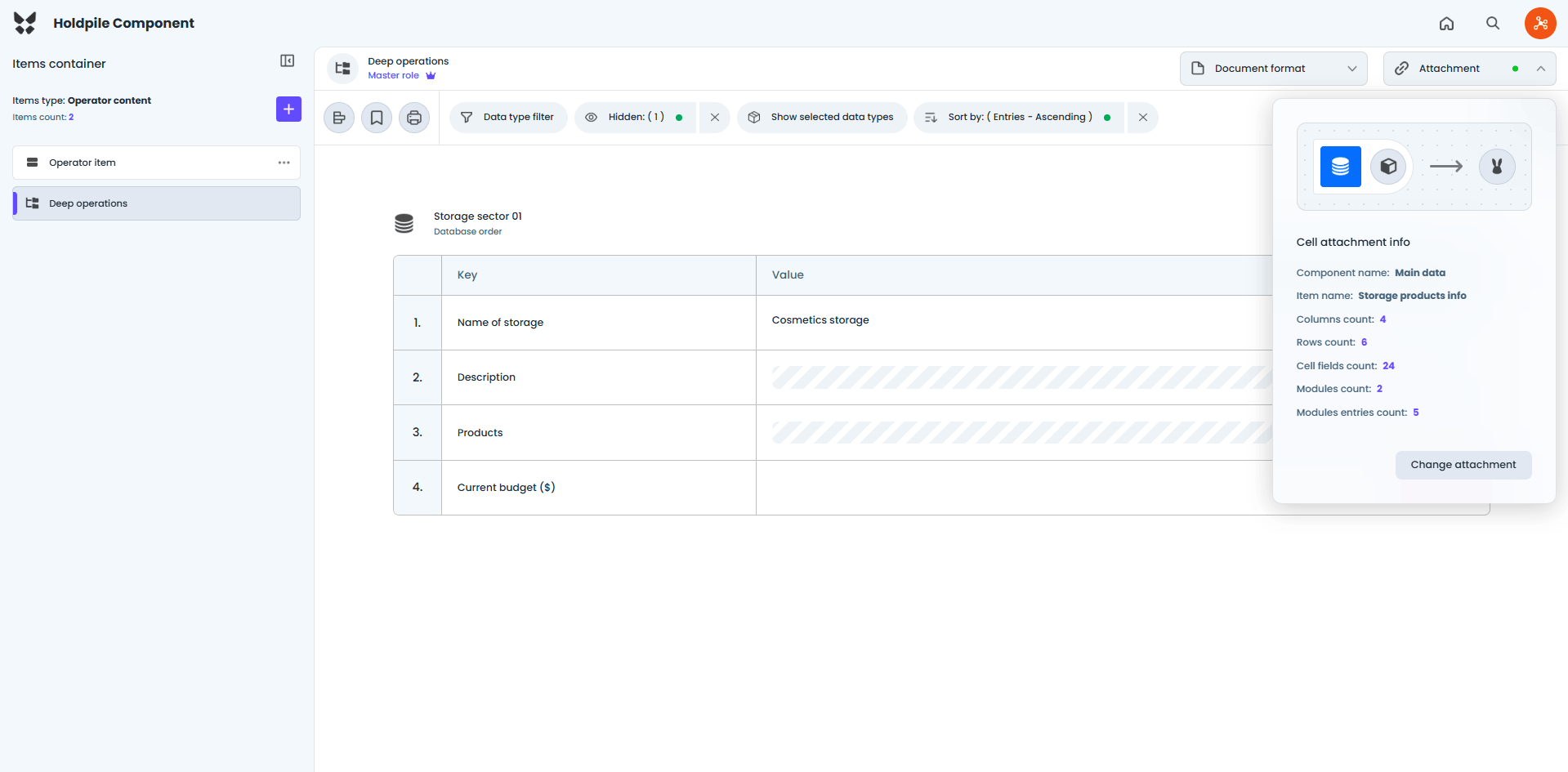
The second workspace is designed to work only with document data and, like the first, has functions specific to the document format. A view of the document workspace is shown above.
Learning works best when the design is simple and clear, helping everyone understand and visualize the purpose.
© 2026 Holdpile